

How do I adjust the number of player slots on my Minecraft server?
18 February 2026
Every Minecraft server has a slot limit. This limit determines how many players can play on the server at the same time.
Adjusting the number of player slots
Go to the control panel and click on the server for which you want to adjust the number of slots.
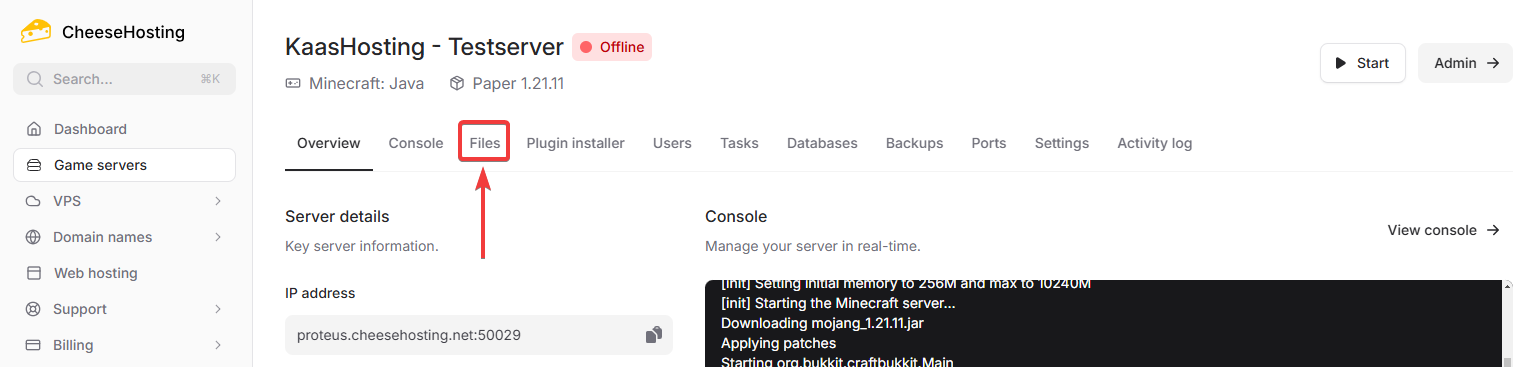
Click on Files in the top navigation bar.
Open the
server.propertiesfile by clicking on it.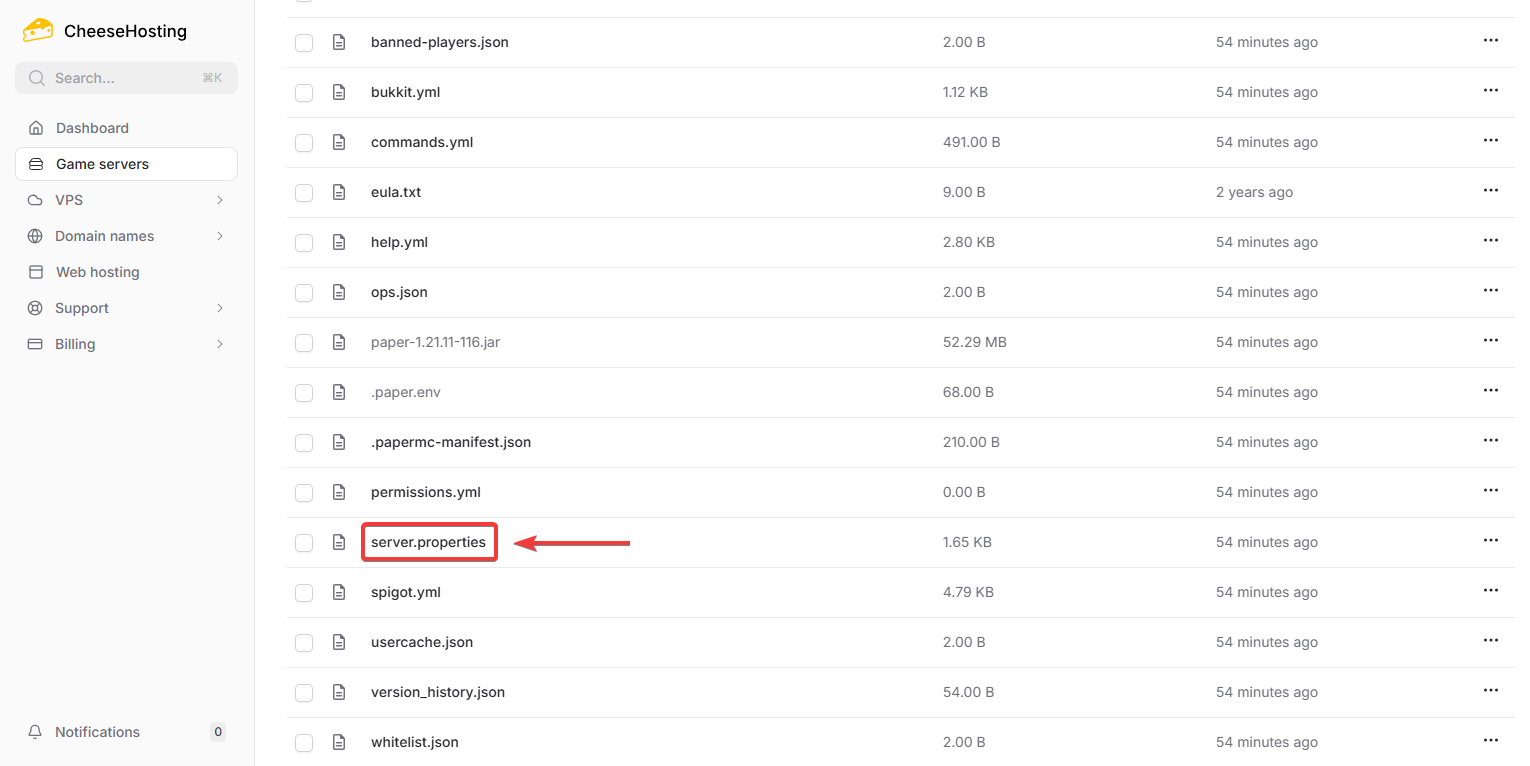
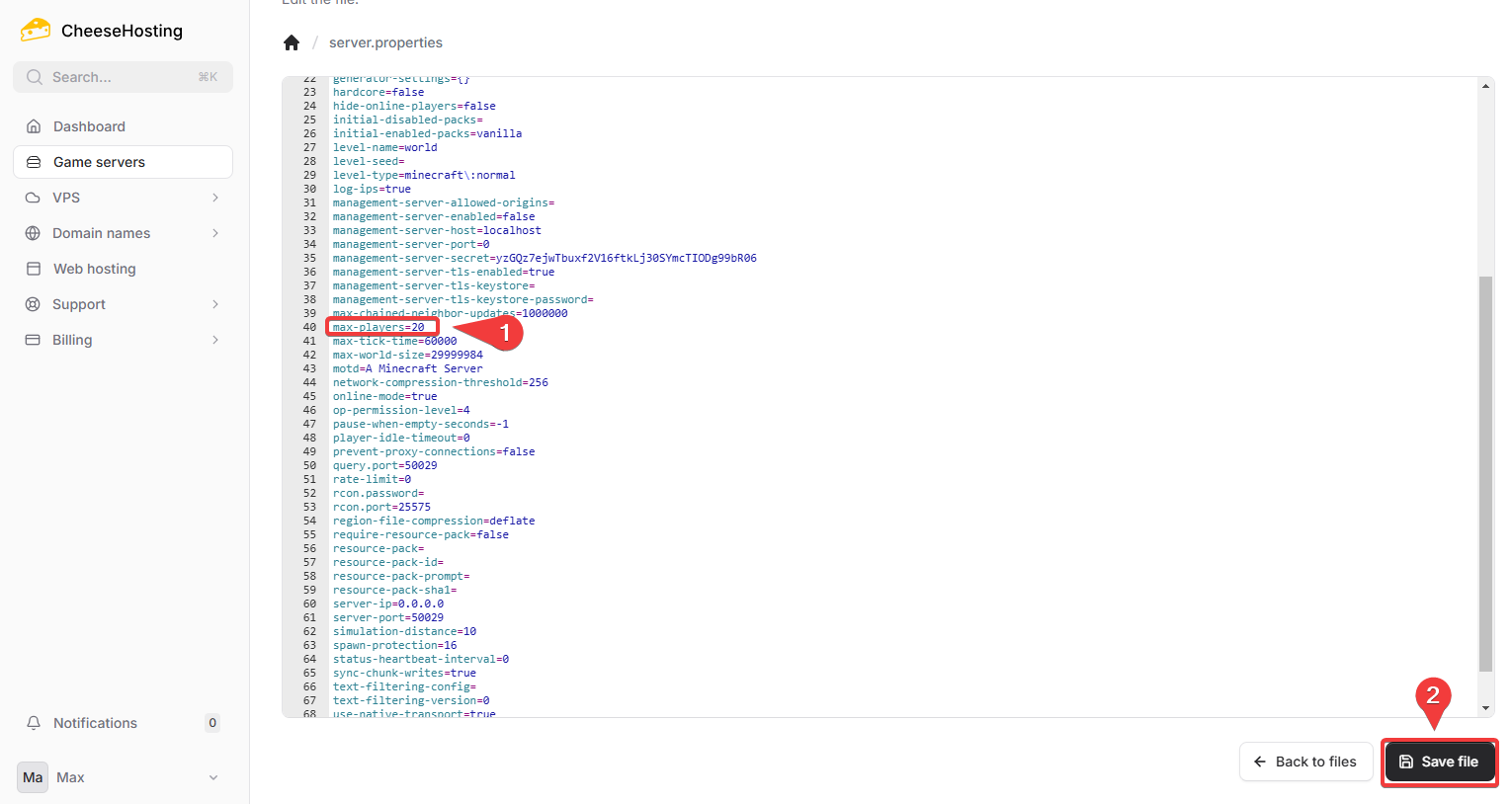
Change the number next to
max-players=to the player limit you want to set.Click Save file in the bottom right
Restart your server to apply the changes.
Done! The maximum number of players on your Minecraft server has now been updated.
On this page