

How do I create a MySQL database for my Minecraft server?
26 February 2026
With every CheeseHosting Minecraft server, you can create unlimited databases in the control panel. These databases can be used for your plugins.
How to create a database
Go to the control panel and click on the server for which you want to create a database.
Click on Databases at the top.

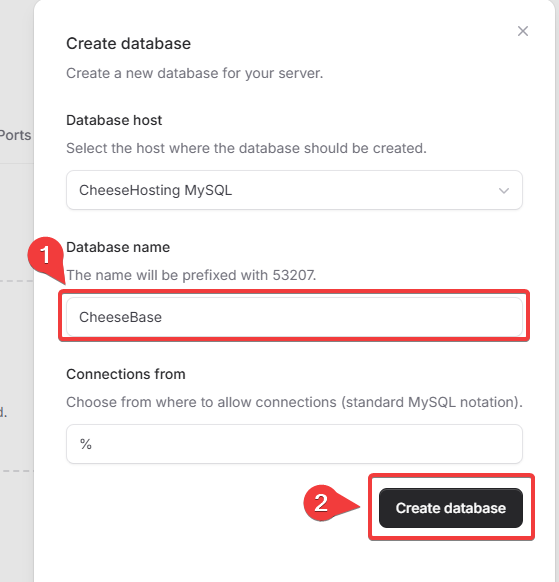
Click Create Database.

Enter a Database name for your new database.
Optionally, enter a specific IP address under Connections from from which connections are permitted. The default value
%means that connections from all IP addresses are allowed.Click Create database to create the database.
Click the three dots and then Connection details to view your database credentials.
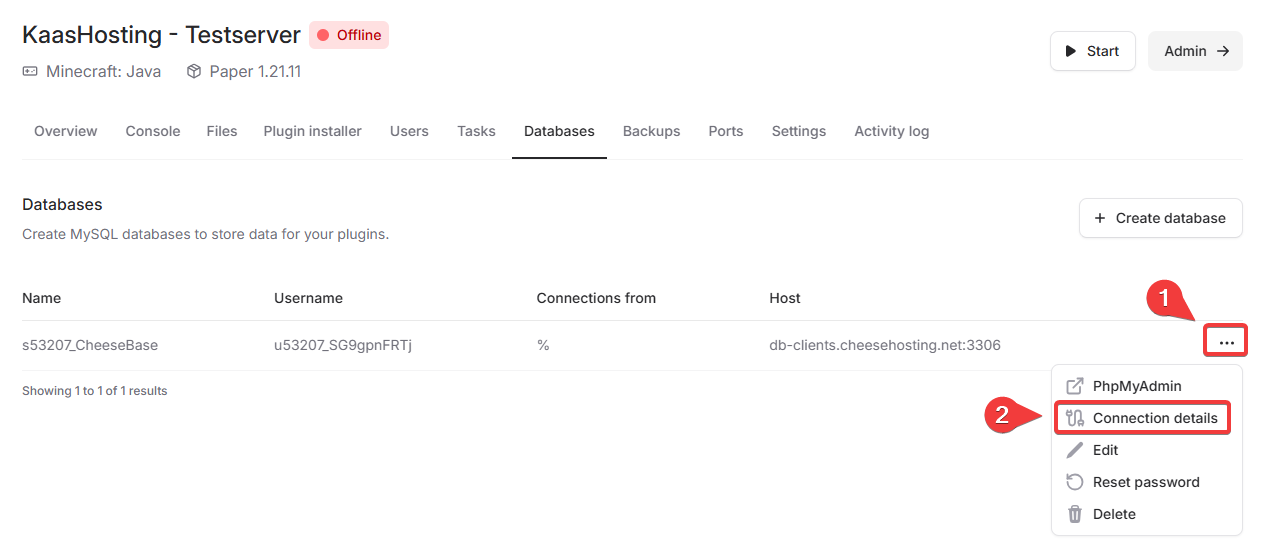
Done! You have now created a MySQL database for your Minecraft server.
On this page