

How do I set a Minecraft server icon?
26 February 2026
A server icon is an image displayed to the left of a server’s name in the Minecraft multiplayer list. In this tutorial, we explain how to set one up yourself.
Preparing the image
Before we can get started with setting up your server icon, it’s important to make sure the image meets the following requirements:
The image has an exact size of 64 x 64 pixels.
The file name is server-icon
The image format is .png
Setting a server icon
Go to the control panel and click on the server for which you want to set an icon.
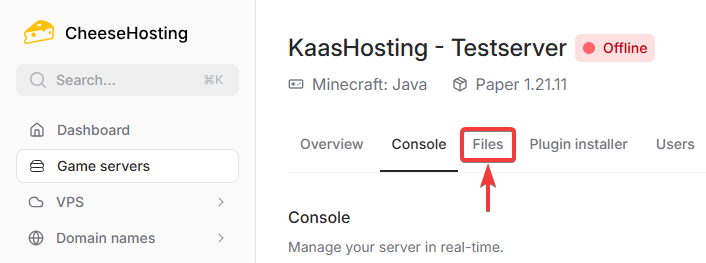
At the top of the navigation bar, click on Files.
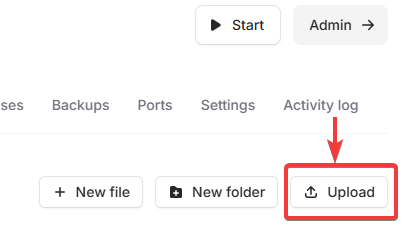
Click the Upload button in the top right corner.
Select and upload the server-icon.png image you prepared.
Restart your server to activate the icon.
Done! Your custom server icon is now set.
On this page