

How do I set up a resource pack on my Minecraft server?
25 February 2026
With a resource pack, also known as a texture pack, you can customize the look and sounds of Minecraft. In this tutorial, we explain step by step how to set up a resource pack for your server.
💡 Hint: want to learn more about what resource packs are? 👉 Read our article about resource packs.
Preparing the resource pack
Before you can set a resource pack on your server, you need a .zip file of the pack.
You can download an existing resource pack from websites such as Planet Minecraft or CurseForge.
Did you create your own resource pack? Make sure all files are packaged in a
.zipfile.
💡 Hint: check whether your resource pack is compatible with your server’s Minecraft version to avoid issues.
Creating a direct download link
Before you can set a resource pack on your server, you need a direct download link to the pack. In this example, we use Dropbox to upload the resource pack and create a direct link.
Go to Dropbox and log in or create a free account.
Click Upload and upload the
.zipfile of your resource pack.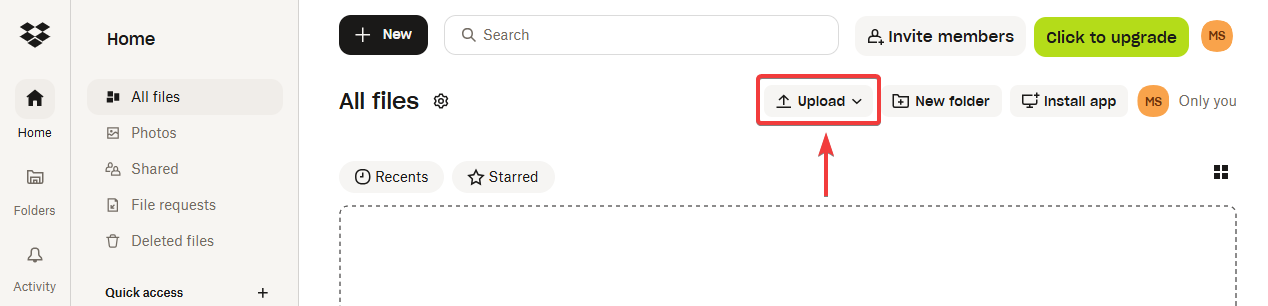
Click Share once the file has been uploaded.
Click Copy link. You will receive a link that ends with
?dl=0.https://www.dropbox.com/scl/fi/{YOUR_ID}/My-Resource-Pack.zip?rlkey={YOUR_ID}&dl=0Modify this link by replacing
?dl=0with?dl=1. This turns it into a direct download link.https://www.dropbox.com/scl/fi/{YOUR_ID}/My-Resource-Pack.zip?rlkey={YOUR_ID}&dl=1
💡 Hint: make sure your resource pack is smaller than 50 MB. Larger packs may cause issues when players download them automatically.
Setting the resource pack on your server
Go to the control panel and click on the server where you want to set the resource pack.
Stop the server by clicking Stop.

Click Files and open the file
server.properties.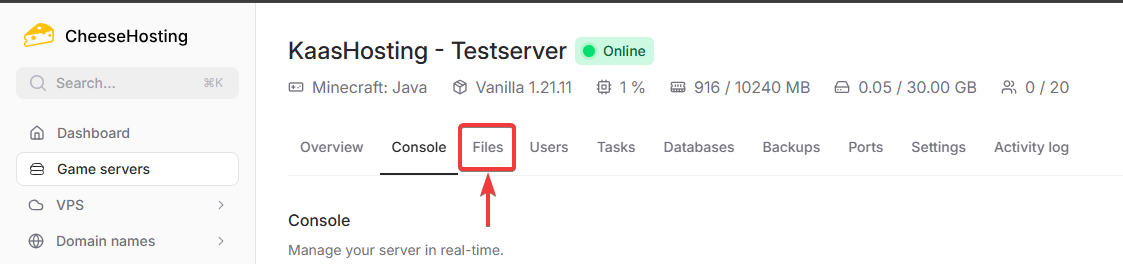
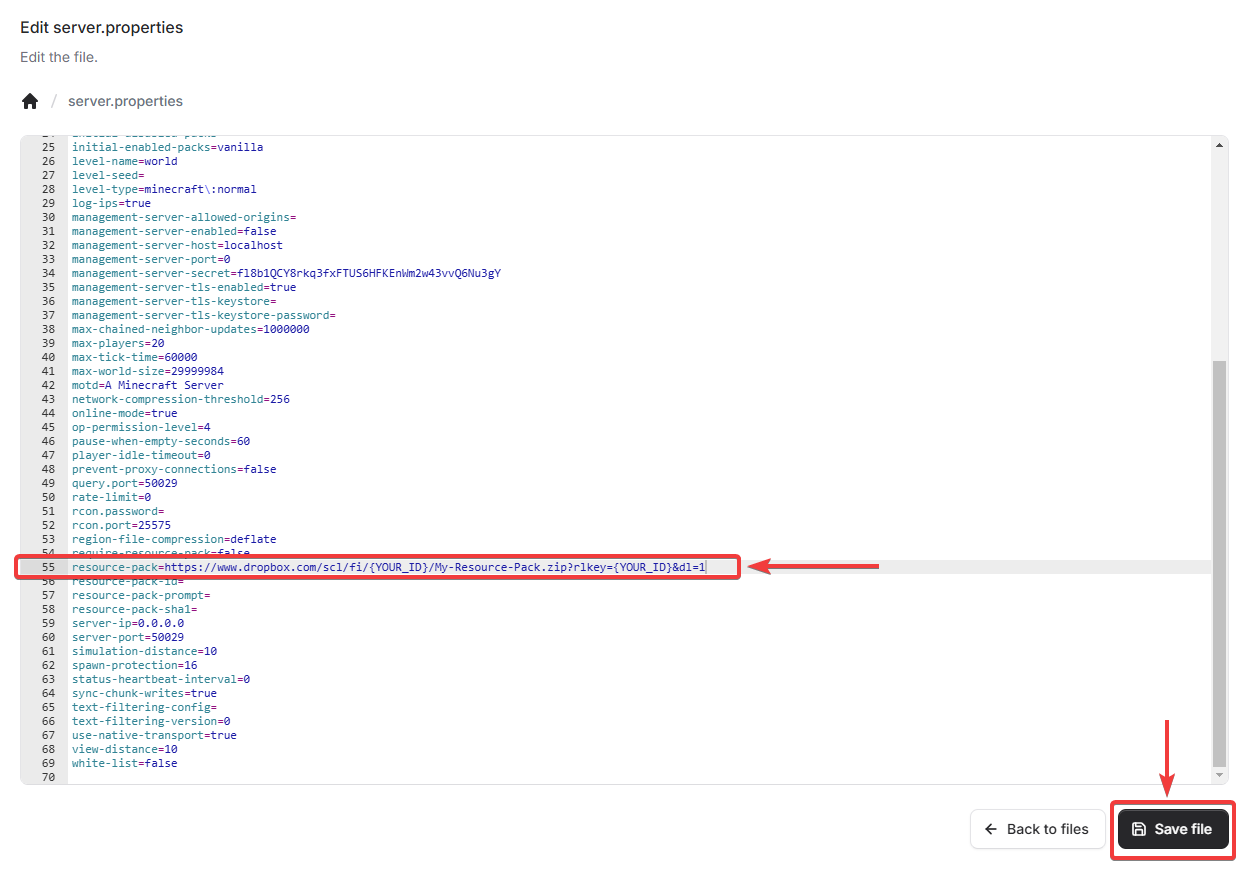
Find the line
resource-pack=and paste the direct download link of the resource pack next to it.
💡 Hint: do you want players to be required to download the resource pack? Add the line
require-resource-pack=trueinserver.properties.
Click Save file to store the changes in the file.
Done. Players will now automatically receive a prompt to download the resource pack when they join your server.